
Some Ostinato users get confused between streams and flows.
These are fundamental concepts and it’s important to understand the difference between them.
This post will help you do that.
What is a stream?
A stream is what you - as a user - configure in Ostinato. It defines the properties of the traffic to be generated. e.g. the type of traffic, the source and destination IP addresses, the port, the protocol, the rate, the duration, etc.
You configure the various properties of the stream when creating a new stream or editing an existing stream using the stream configuration dialog.
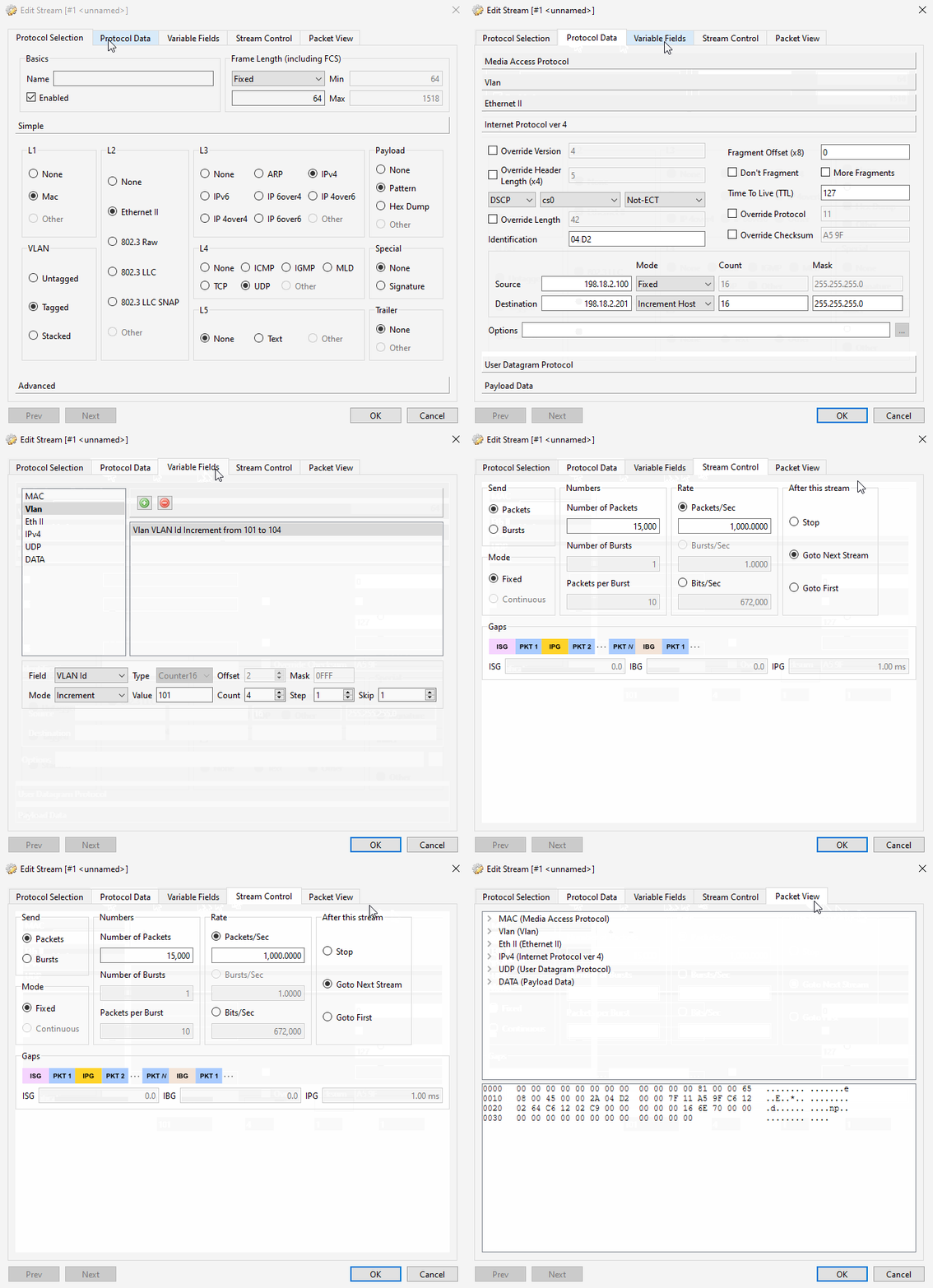
The term stream is commonly used for a similar purpose in most traffic generators.
What is a flow?
Traditionally in networking, a flow is a sequence of packets that share the same properties. e.g. the same source and destination IP addresses, the same port, the same protocol etc.
The standard 5-tuple used in NAT e.g. is -
(source IP, source port, destination IP, destination port, protocol = TCP/UDP)
The 5-tuple is essentially a unique identifier for a sequence of packets that share the same properties. Once a flow is identified, the packets in the flow are treated as a single entity and are processed similarly.
Note that VLAN tags, MPLS labels etc. can also be part of the flow identifier. Or ICMP ID fields etc.
It really depends on the use case and application.
But at it’s core, it is about identifying a sequence of packets that share the same properties.
Ostinato flows
A flow in Ostinato is also similar - but more granular.
As a synthetic traffic generator, Ostinato classifies every unique packet as a separate flow. Any packet field that varies will generate multiple flows. A few examples will make it clearer -
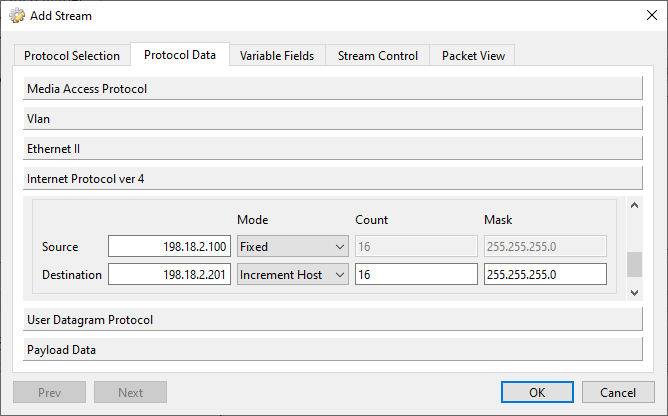
This stream with incrementing destination IP address will generate 16 flows - one for each destination IP address.
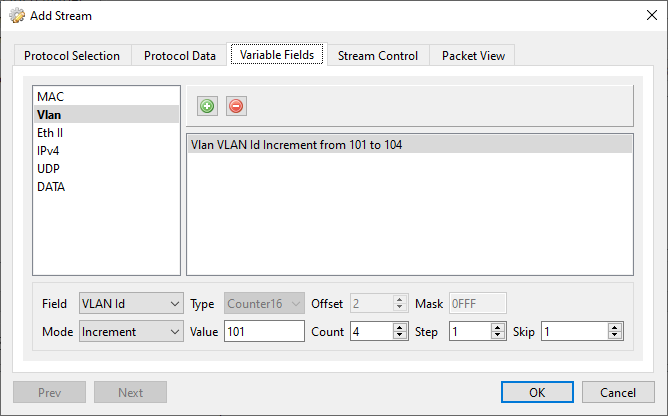
This stream with incrementing VLAN ID will generate 4 flows - one for each VLAN ID.
Note that in the above examples, we assume that only one packet field is varying - the rest are kept constant.
If you have multiple packet fields varying, the number of flows will be the lowest common multiple (LCM) of the number of flows for each varying packet field.
For our above examples, if you have both the destination IP address and the VLAN ID varying, the number of flows will be LCM (16, 4) = 16.
A single Ostinato stream can generate multiple flows.
This makes it easy to generate a large number of flows from a single stream for use cases like testing NAT or NAT scale, load-balancing and load-balancing problems, or MAC learning and L2 switch testing.
This understanding of streams and flows will help you plan your testing scenarios more effectively. Do reach out to us if you have any questions or need any help.