
A few months ago, we got this question from Ide - a network engineer working on a multicast demo.
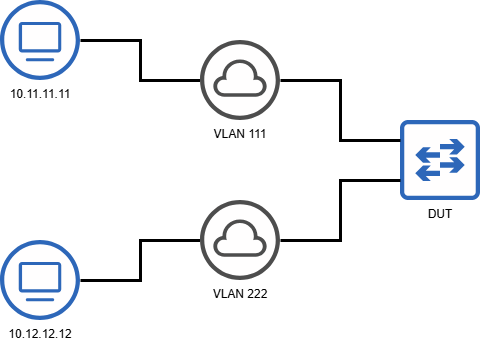
I’m running low on [Ostinato] server interfaces—I’ve used all four and only have one left. I need to simulate two receivers on different VLANs using this single interface.
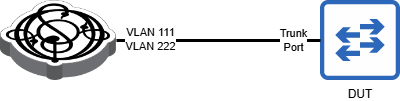
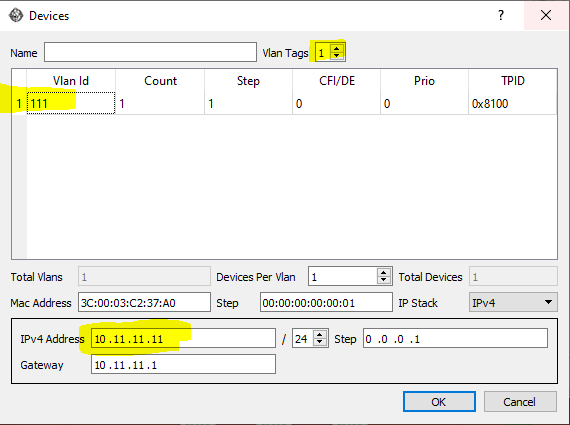
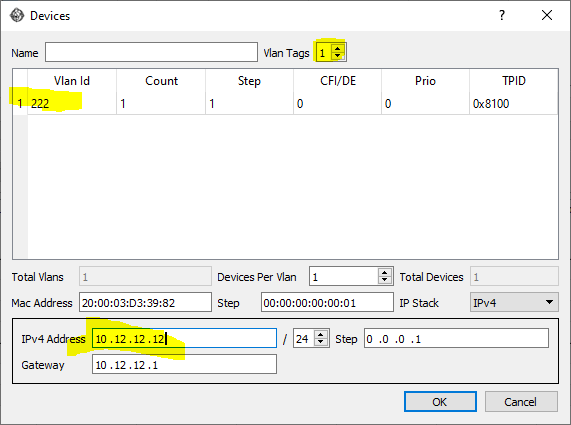
Would it be possible to configure this [Ostinato] server interface as a trunk port to the switch and assign VLAN 111 (IP: 10.11.11.11) and VLAN 222 (IP: 10.12.12.12) in Ostinato? This way, I can set this port as a receiver and configure IGMP joins for two different multicast groups—for example, 239.1.1.1 on VLAN 111 and 239.2.2.2 on VLAN 222.
If this is feasible, could you guide me on how to set it up?
The answer is yes, it is possible to emulate multiple networks (identified by different VLAN IDs) on a single port using Ostinato.
Not only is it possible, it’s actually quite easy to do.
For anyone else wanting to do something similar, here’s how you can do it.
Topology
Here’s the logical test topology the user wants to emulate -
And here’s the actual physical test topology where Ostinato will emulate both the VLANs and the receivers -
Device Configuration
Configure two different devices on the same port with the required VLANs and IP addresses -
Stream Configuration
Create two IGMP streams with the above IP as source IP and the multicast group as destination.
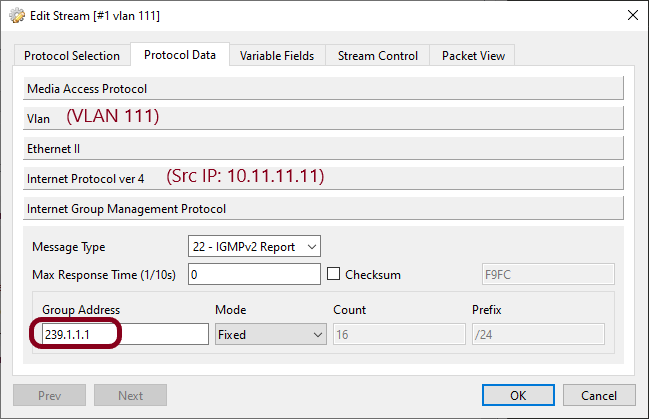
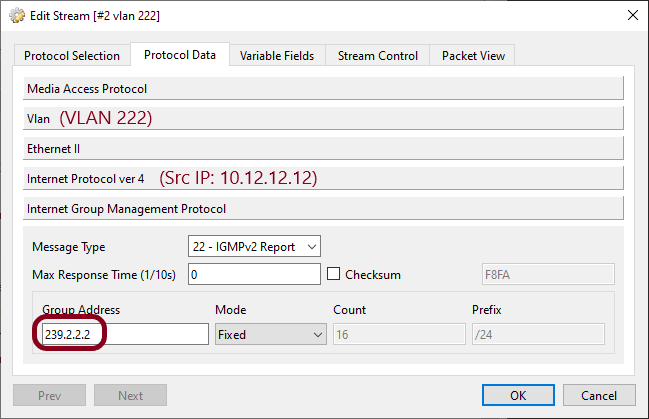
For a step-by-step guide on setting up IGMP streams and configuring multicast data traffic, check out the resources available under IGMP.
Port Configuration
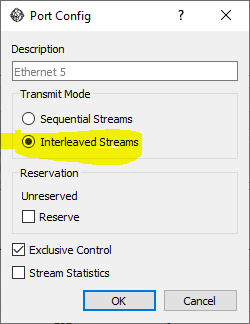
Double click the port to set Transmit mode to interleaved instead of sequential (interleaved -> all streams sent together instead of one after other)
Trunk VLAN Configuration
The Ostinato/Drone port does not require any Trunk VLAN configuration.
However, you do need to configure the Trunk VLAN on the DUT switch.
Not just IGMP
Note that this example is specific to IGMP and multicast. You can use the same technique to emulate multiple networks on a single port for other scenarios and use-cases as well.
Do reach out to us if you have any questions or need any help.