Ostinato 2.0 is here! ⏱️ Limited time power-of-2 launch pricing ending soon!
Throughput, Protocol, and Performance Testing for L2/L3 Networks
Generate, customize, or replay L2/L3 traffic to validate throughput, QoS, multicast, routing and switching, protocol behavior, and network performance
Pinging isn’t enough. Validate with real traffic.
Testing network behavior requires more than just ping and show commands. Controlled L2/L3 traffic helps you verify forwarding, filtering, QoS, encapsulation, and performance characteristics before issues appear in production.
Most teams rely on a small number of shared hardware traffic generators, but those aren’t always available to everyone when troubleshooting, validating a design, or testing in home labs and virtual labs. Ostinato runs on standard COTS hardware – a lab server or even your own laptop – giving every engineer an affordable, always-available way to generate realistic L2/L3 test traffic whenever they need it.
Used by Engineers Worldwide








Example Network Tests
Your Swiss-Army knife for network testing - a single tool for a wide range of tests and use cases.
- Throughput, bandwidth and performance benchmarking
- QoS marking, classification, queuing and shaping
- Multicast forwarding, IGMP/MLD snooping and behavior
- Routing and switching across topologies
- Policy-based forwarding and path selection
- ECMP, LAG hashing and load balancing
- VLAN, QinQ, MPLS, VXLAN and other encapsulations
- NAT/PAT translation behavior
- Packet drops, latency and jitter
- Device behavior and packet handling under load
Capabilities
Ostinato gives you a comprehensive set of tools to generate, customize, emulate, and automate L2/L3 traffic across a wide range of network testing scenarios.
- Generate multi-stream customizable L2/L3 traffic
- Craft packets with full header, field, and size control
- Replay PCAPs to reproduce real-world scenarios
- Build IPv4, IPv6, VLAN, QinQ, MPLS, VXLAN and other encapsulations
- Configure IMIX or build custom traffic profiles
- Set precise rates, bursts and timing behavior
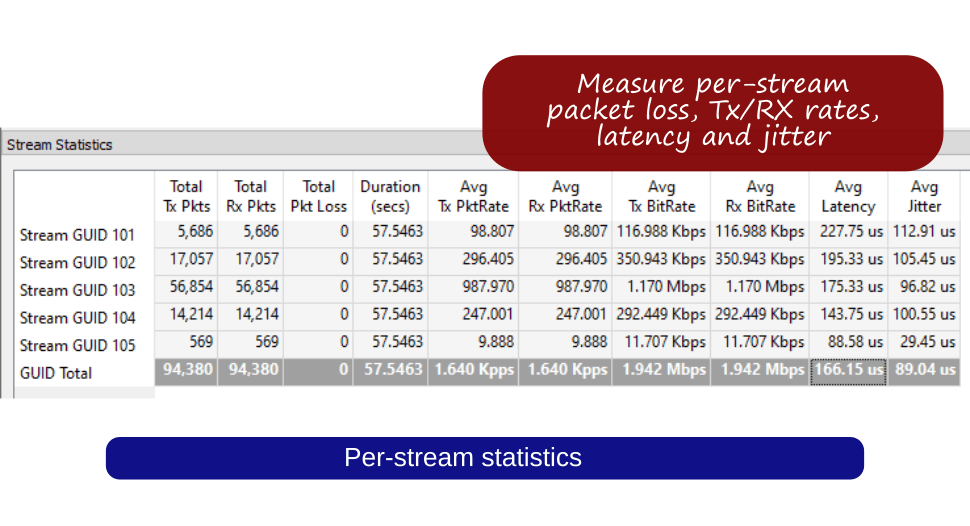
- Measure per-stream TX/RX counters, loss, latency, and jitter
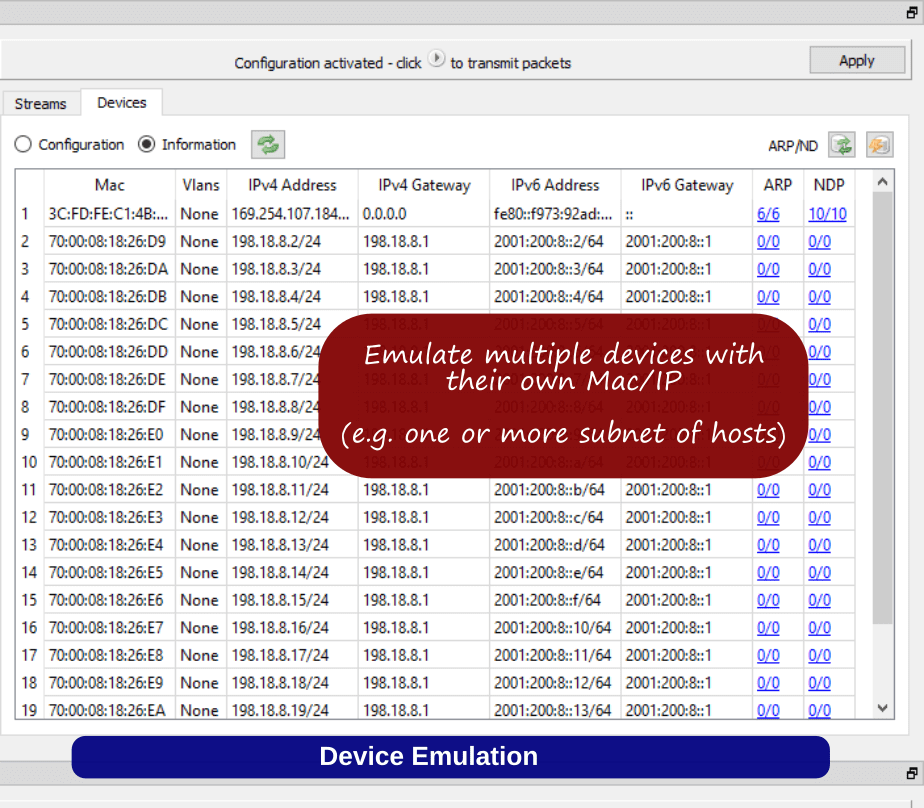
- Emulate network hosts with ARP/NDP and ping support
- Emulate basic control-plane protocols (Technical Preview)
- Run on Windows, macOS, Linux or deploy as VMs and containers
What Engineers Say
Thousands of network engineers use Ostinato to verify and troubleshoot real networks using real traffic.
“Packets of Death” - Ostinato turns you into a packet ninja. There’s literally no limit to what you can do with it. Without Ostinato I could have never gotten beyond this point
Kristian Kielhofner (Creator, AstLinux)
… know that real people are doing real work with your software! Especially right now in the pandemic, your software is a true lifesaver for me and others
Scott Vandiver (Sr. Director, ADVA Optical Networking)
I recently started using Ostinato to precisely build Ethernet frames with EtherTypes like 0x88a8, 0x8100, 0x8000 to stack tags, set Class of Service values, modify MPLS flows, and more. What really amazed me wasn’t just the tool itself but the support behind it
Daniel Rukes (Network Engineer, Charter Communications)
Overall this is a tool that every network engineer should have. I rank it up there with SecureCRT. The price is great, and I only scratched the surface of the tool’s total functionality
Derrick Smith (CCNP, NSE7)
High-Speed Performance
Generate up to 400Gbps line-rate traffic with multi-core acceleration using the Turbo add-on - ideal for validating high-capacity links, performance benchmarking and stress testing.
Ideal for validating 10G/100G/400G links and benchmarking modern network hardware.
See 📈 Turbo Performance.
Automation
Use the Python API to script and automate traffic generation, run repeatable test suites, integrate with CI/CD pipelines, and orchestrate large-scale or regression network tests.
Anything you can do in the GUI, you can automate with the Python API.
Ostinato in Action
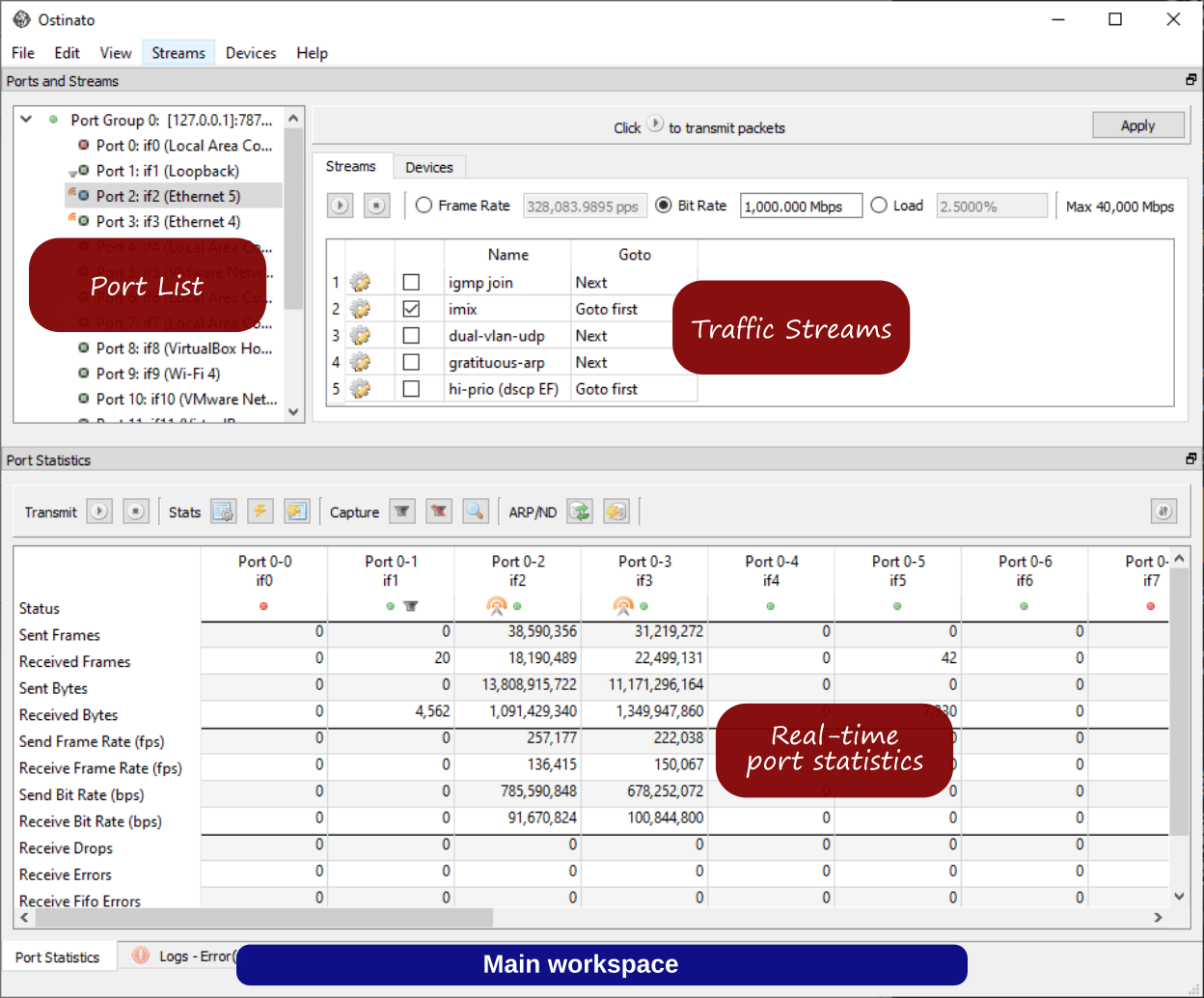
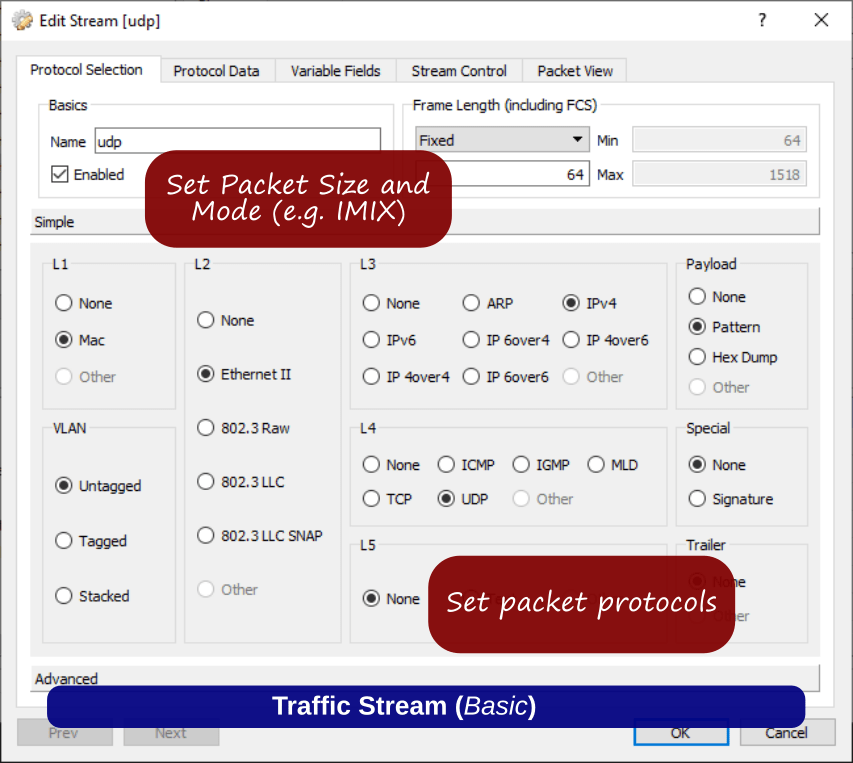
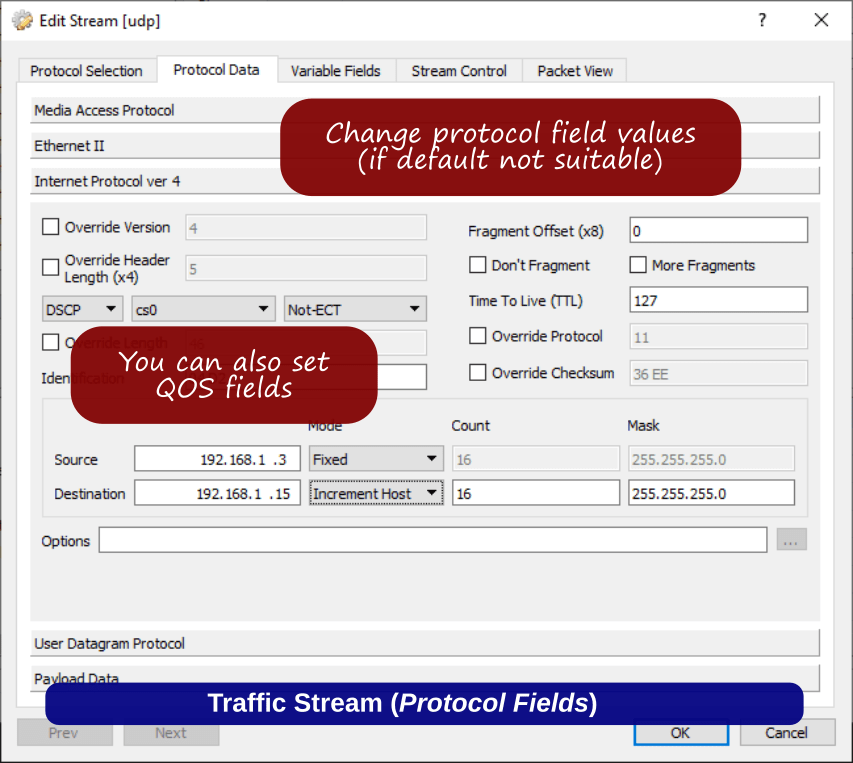
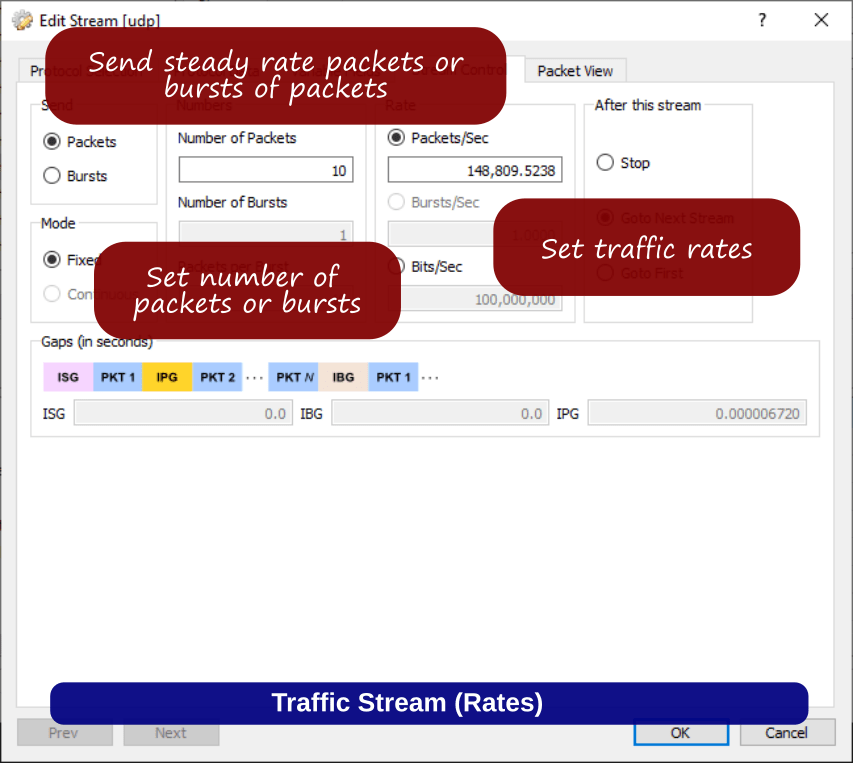
A cross-platform UI for building traffic streams, emulating hosts and control-plane protocols, analyzing results, and validating network performance.